Let SPI help you make more money
Ethically—Without selling out (because no one likes a sellout)
If you're hoping to generate an income online, and you haven't really taken the time to learn affiliate marketing, then you're absolutely leaving money on the table.
Chances are good that you're facing an all-too common dilemma: how to “crack the code” of monetization and generate an income ethically from the audience you've been building.
Maybe you worry that to do so you'll have to create your own products from scratch. But generating an income from your own products requires time, energy, and a clear sense of what your audience wants and needs.
On top of that, you may fret that creating your own products will make it seem like you're "selling out" and could damage the trust you've so carefully built with your audience.
Affiliate marketing offers a great solution to all these concerns. With affiliate marketing you can generate an income by recommending market-tested products you already trust and you know your audience will benefit from.
Affiliate marketing is a time-tested income-generation strategy with two powerful benefits: it allows you to maintain and strengthen your audience’s hard-won trust in your brand, with no need to invest time and energy creating products of your own.
Sadly, it’s easy to do affiliate marketing the wrong way—by putting money before your audience’s needs and trust, and damaging that relationship in the process.
That's why I created 1•2•3 Affiliate Marketing.
What you'll learn in 1•2•3 Affiliate Marketing
THE TOOLS AND STRATEGIES YOU NEED TO BECOME SUCCESSFUL
With step-by-step lessons and clear action items, course is designed to help you make steady, ongoing progress. I want you to get paid for your efforts AND be thanked by your audience for it. That's the goal, and I'm here to help you make it happen.
Here's What You Get with 1•2•3 Affiliate Marketing
An action plan
Step-by-step, expert instruction from affiliate marketing expert Pat Flynn. You'll learn how to start using affiliate marketing in a way that supports your long-term goals, how to choose products for the best results, and both passive and active promotional strategies to drive sales.
Video course content
Lifetime access to the course content means that you can work at your own pace and come back for a refresher at any time.
Ongoing help from Pat and the SPI community
You get access to Pat's weekly private Office Hours Zoom call, which is only open to course students. You also get access to the 1•2•3 Affiliate Marketing space inside the SPI Academy, our private Circle community for growing entrepreneurs.
Accelerate growth with the All-Access Pass
Combining innovative curriculum with the power of community, community-led courses give you the educational pathways to develop your skills as an entrepreneur and grow your business.
Not only will you have access to this course, but SPI’s library of innovative courses and workshops, with new content being added monthly. Custom pathways and curricula are geared to meet you where you are on your journey and will elevate your success as a community of experts and peers keep you engaged and on track while you apply your new skills to your business. LEARN MORE
All-Access Pass
$199/quarter or $660/year
Includes
- Access to the curriculum of SPI's entire catalog while you hold the pass
- Weekly office hours with Pat Flynn
- Peer-to-peer messaging with other members in the SPI Academy
- Monthly workshops on highly requested content
- 4–8 week-long cohort-based Accelerators
- Pathways featuring recommended curriculum paths to help you start your idea, launch your podcast, or boost your income (with more pathways on the way)
- Programming designed to help you know what to focus on now
- Accountability partner matching
- Supplemental documentation, tutorials, checklists, and guidance for all our courses, exclusive to All-Access
- Member-only channels and community forums
- Access to SPI Academy member directory
- Programming focused on the early days of your online brand and business
- Access to a monthly AMA with SPI experts
Meet your course instructor
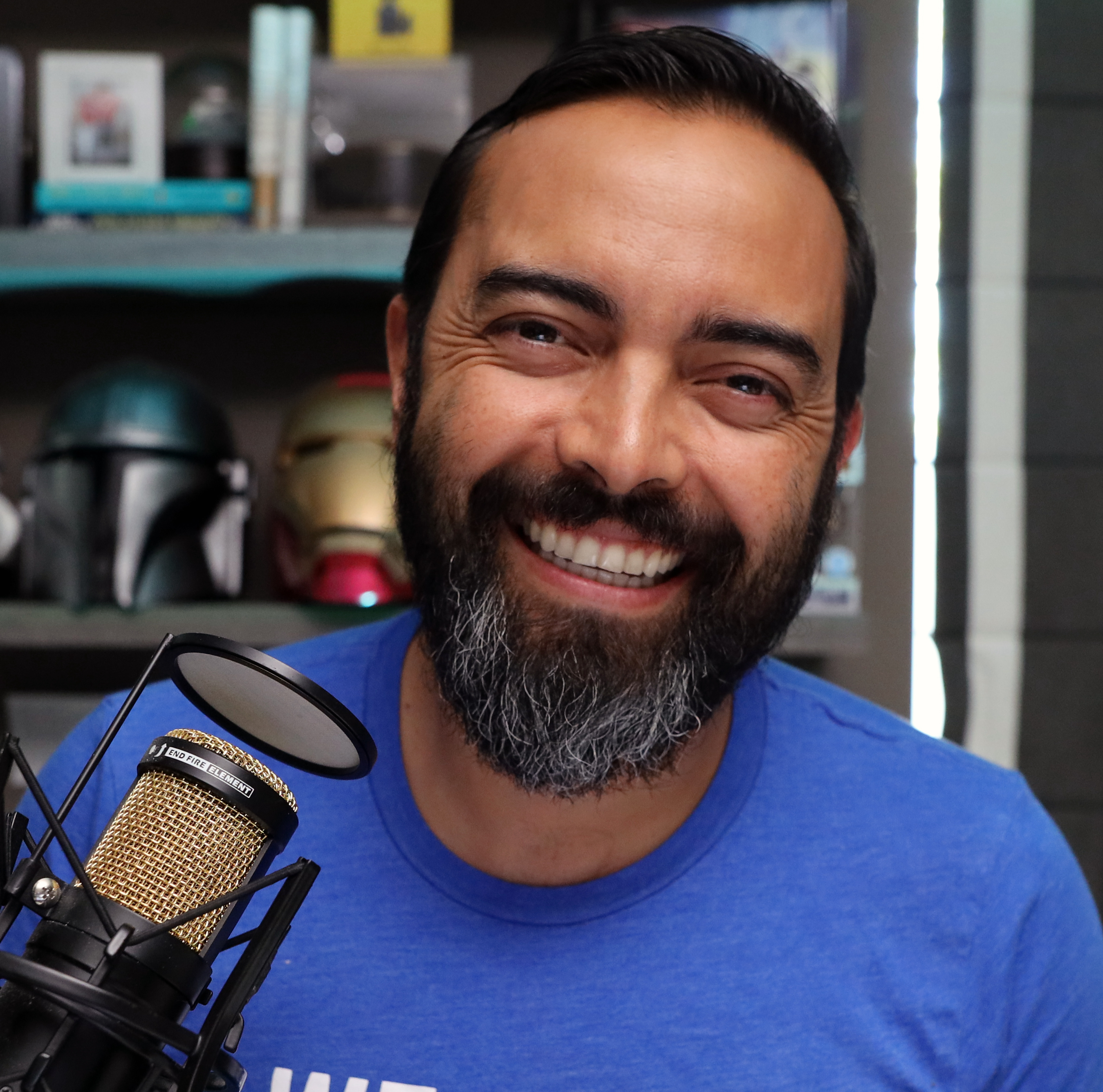
Hi, I'm Pat Flynn, founder of SPI. Affiliate marketing changed my life.
At first, I was too afraid to create my own products, and I didn't know what to build. But over time I found that by sharing and recommending the products that had already been proven to help people, companies would pay me for sending new customers their way, and my audience would thank me for sharing those resources with them.
Since 2010, when I started affiliate marketing, I've generated over $3.5 million from affiliate revenue alone. I even documented the details for the first ten years of my business in my monthly income reports over on smartpassiveincome.com.
Affiliate marketing can be done the wrong way, or it can be done the right way. I've learned what works and what doesn't, and I want to use that knowledge to teach you how to generate affiliate income ethically and effectively.
If you've been struggling to generate an income online, and you're not sure how to start monetizing, 1•2•3 Affiliate Marketing is for you.
Ask questions and get support
1•2•3 Affiliate Marketing is a work-at-your-own pace course. You can go as fast as you want, or you can take your time. But what happens when you have a question?
We're glad you asked! Included with the course are two great resources to help answer your questions and get you unstuck:
Weekly office hours with Pat Flynn
Sometimes you just need to ask the teacher a question. That's why I host a weekly Zoom call that's only available to course students. Get your questions answered and learn from the questions of the other SPI course students. The last four call replays are available inside the course, .
Access to the private SPI Academy Circle community
Can't wait until office hours? Ask your question inside the SPI Academy!
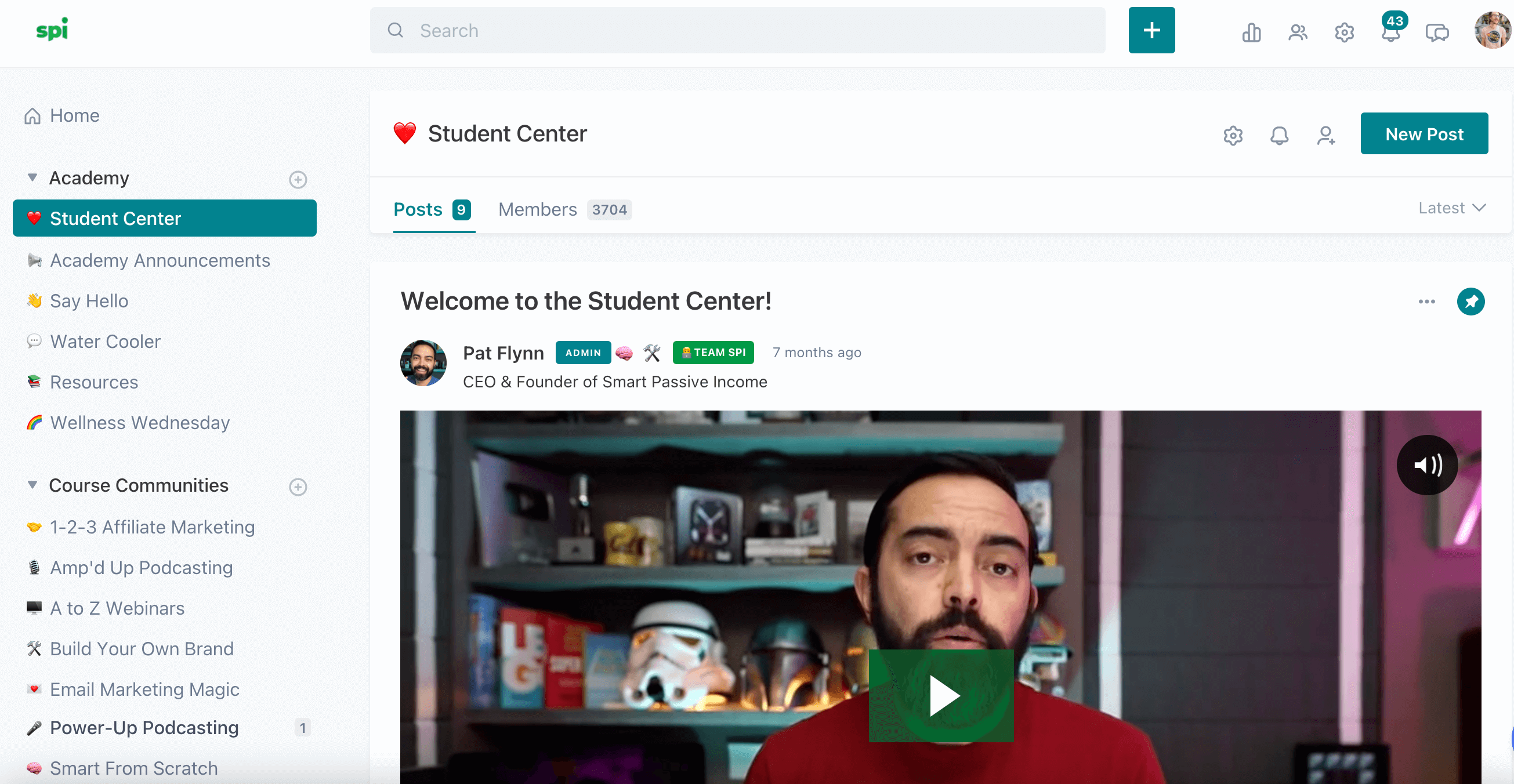
The SPI Academy is our private student community—the place where you can ask questions when you're stuck and share ideas to get honest feedback from other entrepreneurs like you.
The Academy is hosted on the Circle platform and moderated by Team SPI; this is not a Facebook free-for-all. You'll find instructions inside the course for how to join using your course login.
1•2•3 Affiliate Marketing was built for the ambitious online business owner.
This course is geared toward people who already have an online presence. The audience size doesn't matter—you can actually benefit quite heavily from implementing these strategies early on in your business—but you need to know who you're serving and have some sort of following online, whether it's in a small email list, on social media, or a website with a bit of traffic.
What it comes down to is this: I don’t want to sell you anything that you cannot benefit from. That’s simply not how we do business at SPI. I want you to succeed and if you don’t have any online presence yet, this course is not going to help you succeed at this time.
Instead, I encourage you to check out our Build Your Own Brand course. When you're ready, this course will be here for you.
Does it sound like a good fit? Join us now!
Don't take our word for it
Real 1•2•3 Affiliate Marketing students share their experience with the course and how it has benefitted their businesses.
I was leaving money on the table.
Pat's course is amazing. He walks you through nitty-gritty details..he gives you some strategy and tips you can start using right away. You will be impressed with the content and the calibre of the course."
— Dr. Maelisa Hall
Note: The Facebook community Dr. Hall mentions is now the SPI Academy on Circle.
Pat provided both the foundation to understand what works with affiliate marketing, but he went further with recipes to create your marketing efforts with different types of products.
Each one of these recipe books provided multiple ways to approach my marketing efforts. That was a lesson in itself—don't just do one thing when trying to market a product you recommend to your audience."
— William Beem
Every course Pat creates is an amazing experience. The content is only one portion of that experience.
His continued support, encouragement, and countless hours of his time spent answering questions and guiding you during the weekly office hour sessions are absolutely incredible. If you are serious about about applying this information to your business, you'll appreciate the support, tips, and strategies provided for you."
— Lana Camiel
I was on the fence about joining 1·2·3 Affiliate Marketing because I felt like I pretty much knew everything that I needed to know about affiliate marketing already.
I was already getting several hundred dollars per month in commissions, but I decided that, knowing Pat, I would give it a chance. Boy was it worthwhile. Pat goes so far beyond any of the other materials I've seen out there. So many great suggestion for active promotions. If you want to be successful with affiliate marketing, this course is a must-buy!"
— Sam Gavis-Hughson
Over the past two years, I have been nothing but overwhelmed with internet and affiliate marketing.
I think I am like many beginning internet marketers. Try every tool and every internet marketing guru's advice because they promise the world and make it seem so easy. Cost? Huge. Results? Few. When I came across Pat Flynn I felt there was something different. He just seemed real to me. His course was much less expensive than others I've paid for. I'm half-way through the course and I finally finished my site and made a sale. I have regained my faith and really enjoy the white hat aspect of affiliate marketing. I feel like Pat really cares about us, which is unique in this business.
— Maisy Stanovich
I already generate some affiliate income, but I know I could do a lot better.
[Pat] does it in an authentic way...a really focused, concentrated set of exercises that allows you to take a step back, look at the bigger picture, and really analyze this part of your business and how you can focus on it and grow it."
— Jason Moore
Want to know more? Explore the full list of lessons
Course outline
- 1. What Kinds of Products Work Best? (11:46)
- 2. Let’s Brainstorm! (18:40)
- 3. Choosing Your Next “Focus Product” (8:41)
- 4. What Is an Affiliate Link? (8:42)
- 5. How Do I Get an Affiliate Link? (6:11)
- 6. What If There’s No Affiliate Link? (9:24)
- 7. What Should You Do with Your Affiliate Link? (5:02)
- 8. Building a Relationship with the Affiliate Company (6:44)
- 9. Before We Begin Promoting (1:50)
- 1. What Are Passive Promotional Strategies? (2:21)
- 2. Adding Links to Your Archive (10:03)
- 3. Adding Links to Your New Content (6:13)
- 4. Setting Up Your Most Profitable Page (11:48)
- 5. Home Page Conversion Strategies (6:03)
- 6. A High-Performing Page You Likely Don’t Have (7:25)
- 7. Your Email Autoresponder Sequence (15:55)
- 8. Set Up Your Passive Promotional Strategies (4:28)
- 1. What Are Active Promotional Strategies? (1:50)
- 2. The Top Tools Round-Up (13:42)
- 3. The Demo (16:23)
- 4. The Step-by-Step Process (13:52)
- 5. The Interview (9:30)
- 6. The Before and After (8:59)
- 7. Your Email Broadcasts (3:51)
- 8. Affiliate Bonuses (8:18)
- 9. Your First Affiliate Campaign (9:35)
- 10. Next Steps (4:58)
- 11. Affiliate Opportunities
My Honest Disclaimer:
Hi. Pat Flynn, founder of SPI Media here. I want to make sure you understand this is not a get rich quick scheme. The results I've achieved are not typical, and your results will vary significantly. I’ve put in years of effort, and have been very fortunate. Not all businesses succeed, and this product will not guarantee your success. This offering is an education tool. Always remember that running a business involves risk. Some businesses succeed, and some fail. Any testimonials are real and valid, but are not guarantees you will obtain the same results.
You should assume that any links leading you to products or services are affiliate links that I will receive compensation from just to be safe. Having said that, there are millions of products and services on the web. I only promote those products or services that I have investigated and truly feel deliver value to you.
Frequently asked questions
ABOUT THE COURSE
When does the course start and finish?
The course is self-paced and you may take as long as you need to complete it. There is no time limit for completion.
How long will I have access to the course?
You will have lifetime access to 1•2•3 Affiliate Marketing when you purchase the individual course. If you purchase the All-Access Pass, you will have access for as long as you hold the pass.
How do I access the course materials?
Log in to SPI Courses by clicking Sign Up/Login in the upper right of this page or by going here.
Course videos are not available for download and must be viewed through the platform. Some items, such as course worksheets, will be available to download.
What skills will this course teach me?
1•2•3 Affiliate Marketing will give you the rules, tools, and strategies that will help you develop great affiliate marketing relationships and drive revenue from those relationships. You’ll learn how to identify the right products to promote, and how to share them effectively with your audience without compromising their trust or your reputation.
What equipment/tools will I need to complete the course?
Access to a computer, spreadsheet software (Excel or Google Spreadsheets), an email account, and an eager and open mind! Additionally, I ask that you have at least some online following already. It can be a small one, but you shouldn't be starting from scratch when getting access to this course. If you're not sure what your business is about yet, that's the most important thing to figure out first, before you purchase this course.
PURCHASING THE COURSE
Can I pay with PayPal?
Yes! On the checkout page under the "Billing Information" section, switch from the Credit Card radio button to the PayPal radio button. Choose your country and click "Enroll in Course" to be directed to the PayPal checkout. PayPal is not available for the All-Access Pass payment.
What is Wizebank?
Wizebank is a payment solution that gives you the freedom to learn now and pay later—with no interest and added fees! When you place an order through Wizebank, the unique approvals system reviews your account to determine what sort of repayment plan we can offer. Options may include equal installments over 3, 6, 9, or 12 months. Wizebank is only available to customers in the United States and Canada.
What if I am unhappy with the course?
Oh no! We don't want that! We offer a 15-day money back guarantee on individual course purchases. If you are unhappy with the course for any reason, let us know within the first 15 days and we will refund your payment. This does not apply to the All-Access Pass. All-Access Pass purchases are non-refundable.
GETTING HELP
What do I do if I need help?
For questions about your billing or accessing the course materials, email [email protected].
If you have a question about how you put the course methods to work in your own business, we encourage you to ask those in the SPI Academy or at Pat Flynn's Office Hours.